

Using QR Codes to Collect Customer Details: Forms, Digital Cards, and Campaign Pages
A practical guide to collecting leads with QR codes through forms, digital business cards, and campaign pages—without making the experience clunky.
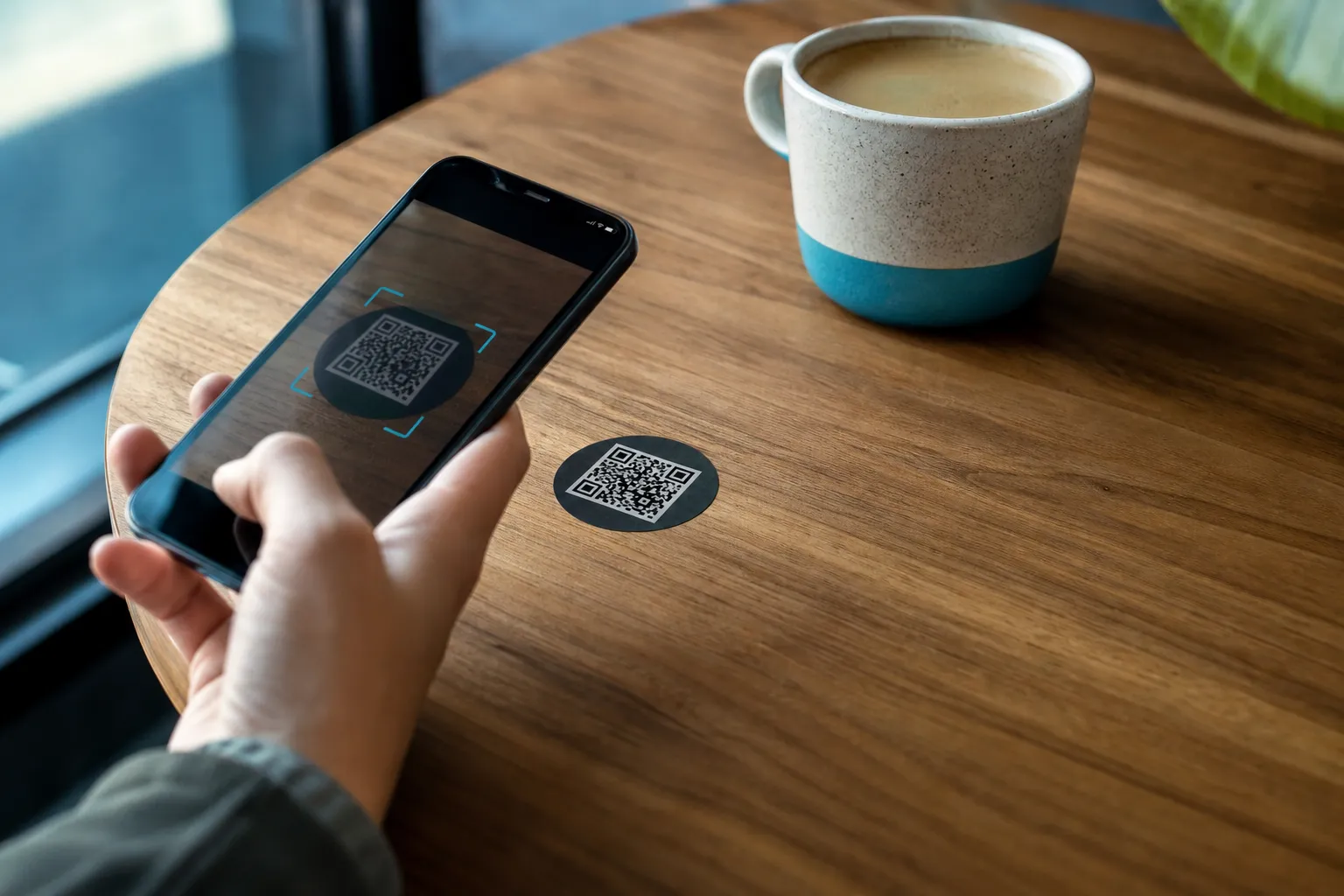
QR codes are no longer just for menus, posters, or product packaging. For small businesses, the real value is much broader: a QR code can become a simple touchpoint that starts a conversation, captures a lead, or sends someone to the next step in your sales process. When done well, using QR codes to collect customer details is less about the code itself and more about what happens after the scan.
This guide focuses on three practical approaches: short forms, digital business cards, and campaign pages. Each one solves a different problem. The best choice depends on whether you want a lead, a contact exchange, or a conversion-friendly landing page.
What QR code customer data collection is — and is not
A QR code does not store customer data by itself. It is simply a bridge between the physical world and a digital page. The real collection happens on the page behind the code: a form, a contact page, or a campaign landing page.
Businesses usually want names, phone numbers, email addresses, company names, appointment requests, or other contact details. But from the user’s point of view, one question matters most: Why should I share this information? If the answer is not obvious, people will often leave before finishing the form.
That is why this topic is not just about adding fields. It is about reducing friction, building trust, and giving the user a clear reason to scan and continue.
The 3 most practical use cases
Different business goals call for different QR flows. A service company, a sales team, and a retail store may all use QR codes, but not in the same way.
1) Short forms for lead capture
This is the most direct approach when you want someone to leave their details. It works well for quote requests, demo bookings, service inquiries, event sign-ups, or callback requests.
The main advantage is clarity: the lead goes straight into a structured flow. The downside is also clear: if the form is too long, people may abandon it. For most businesses, a short form is better than a detailed one. Ask only for what you truly need — usually a name, contact method, and the reason for reaching out.
A strong form tells the user what happens next. For example, “Leave your details and we’ll get back to you” is more effective than a vague “Fill out this form.”
2) Digital business cards for fast contact sharing
Digital business cards are a better fit for meetings, trade shows, networking events, sales visits, and other face-to-face situations. The scan opens a clean contact page with your key details in one place.
Instead of asking for data immediately, this method makes it easier for the other person to save your details and reconnect later. That makes it especially useful in B2B settings, consulting, and field sales. The goal is not always instant form completion. Sometimes the best result is simply a smooth first contact.
In many cases, digital business cards work best when the next step is obvious: save the contact, send a message, or visit the company website.
3) Campaign pages for attention and conversion
Campaign pages are useful when the message itself matters. They work well for seasonal offers, new product launches, loyalty campaigns, event promotions, or limited-time deals.
The strength of this approach is focus. The scan leads to a page with one clear message and one clear action. The limitation is maintenance: when the campaign ends, the page should be updated. Leaving outdated offers live can weaken trust.
A good campaign page usually has three parts: a short explanation, a clear benefit, and a simple call to action. If the user understands the offer at a glance, the page is doing its job.
Which option is better in each situation?
The right choice depends on the business goal, not on the QR code itself. Here is a simple way to think about it:
- Fast lead capture: Short form
- In-person networking and follow-up: Digital business card
- Promotion and conversion: Campaign page
- Single-page brand experience: Digital business card or campaign page
- Tracking and optimization: Form-driven page with analytics
A lawyer, consultant, clinic, or home service business may get more value from a short request form. A salesperson or agency owner may benefit more from a digital business card. A café, shop, or local brand may see better results with a campaign page.
The key question is not “Which format is best?” but “Which format creates the least friction for this specific moment?”
What to watch out for when collecting customer details with QR codes
A QR flow should be simple, trustworthy, and easy to manage. If it feels awkward, slow, or confusing, people will stop midway.
Reduce friction
Keep the form short. Keep the page fast. Make the next step obvious. Users scanning a QR code are usually on a phone, so mobile usability matters a lot. A page that looks fine on desktop but feels cramped or awkward on mobile is not a good experience.
Less is usually more. Too many fields, too many choices, or too much text can reduce completion rates.
Build trust
People want to know why you are asking for their details. A short, direct explanation works better than a vague one. If you want contact information, say what you will use it for and what happens after submission.
People do not just want to know what you are asking for. They want to know why you are asking.
That is especially important when the QR code leads to a form that asks for personal or business contact details.
Plan for updates and measurement
Printed QR codes can stay in place for a long time. That is useful only if the content behind them can change without reprinting everything. For campaigns, seasonal offers, or event materials, being able to update the page later is a major advantage.
It also helps to use separate QR codes for different locations, campaigns, or events. That makes it easier to see what is working and where users are scanning.
Some businesses use tools that combine the QR code and the landing page in one workflow, so the printed code stays the same while the page behind it can be edited later. One example is QRLivo, which is built around that idea.
A simple setup plan
- Define the goal: Do you want a lead, a contact exchange, or a campaign conversion?
- Choose one page type: Start with a form, a digital business card, or a campaign page.
- Trim the fields: Ask only for the information you actually need.
- Write a clear message: Tell the user what they get in return.
- Place the QR code where it will be seen: On packaging, posters, counter signs, business cards, or event materials.
- Test the scan flow: Make sure the page opens correctly on mobile and the form works as expected.
- Track the outcome: Look beyond scans and review how many people complete the next step.
- Keep content current: Update pages when offers, dates, or details change.
This approach works even if you do not have a dedicated technical team. Start simple, learn from real usage, and improve the flow over time.
Practical examples
For a trade show booth
Trade show visitors move quickly. A short digital business card can be a better first step than a long form. It makes it easy for the visitor to save your contact details and follow up later. If you need more information, you can route them to a separate quote form afterward.
For a café or retail shop
A café might use a QR code to link to a campaign page with a seasonal offer, a loyalty sign-up, or a feedback form. The important thing is speed: customers should be able to understand the offer and act on it in a few seconds.
A shop may use the same idea for product details, a limited promotion, or a simple request form. The page should match the moment and the physical location.
For a service business
A service provider — such as a consultant, a repair business, a clinic, or a design studio — will often get the best results from a short request form. If the business also needs in-person follow-up, a digital business card can sit alongside it as a second step.
The point is not to force every visitor into the same funnel. Different touchpoints need different flows.
Good QR code habits
- Add a short explanation next to the QR code.
- Tell people what they will get after scanning.
- Do not make the code too small.
- Keep one page focused on one main action.
- Avoid clutter, long paragraphs, and unnecessary options.
- Use separate QR codes when you want to compare campaigns or locations.
- Update outdated pages instead of leaving old offers live.
These details seem small, but they shape the user experience. People decide in seconds whether to continue, so clarity matters.
When professional help makes sense
For many businesses, a single form or landing page is enough to get started. But if you need multiple branches, CRM connections, custom design, several campaign flows, or more detailed measurement, professional help can save time and reduce mistakes.
In those cases, the QR code is only one piece of the system. The page behind it, the follow-up workflow, and the way customer data is handled should all be planned together. If your current website setup does not support that well, it may be worth discussing web design or software support with a specialist.
Short decision summary
If your goal is to collect information, use a form. If your goal is to make contact easy, use a digital business card. If your goal is to highlight an offer or promotion, use a campaign page. The best QR strategy is not the one that does everything — it is the one that fits the moment and makes the next step easy.
When the printed code stays the same but the page behind it can be updated, QR codes become much more flexible. For small businesses, that can mean fewer reprints, better tracking, and a smoother path from scan to action.
Frequently Asked Questions
Do I need a long form to collect customer details with a QR code?
No. In most cases, shorter forms work better. Ask only for the details you truly need, such as a name and a contact method. Long forms often reduce completion rates.
What is the difference between a digital business card and a form?
A digital business card helps someone save and use your contact details. A form is designed to collect the other person’s details for follow-up. One is about sharing contact information; the other is about capturing it.
When is a campaign page the better choice?
A campaign page works well when you have a clear offer, a seasonal promotion, a product launch, or a time-sensitive message. It is useful when the user should understand the value immediately and act quickly.
Is scan count the same as real business results?
No. Scan count shows interest, but it does not automatically mean conversion. The real measure is what happens after the scan — such as form completion, contact saving, or message submission.
Can I update the content without changing the printed QR code?
Yes, if you use a dynamic setup. In that case, the printed QR code can stay the same while the page behind it is updated later. That is especially useful for campaigns and long-term printed materials.
Disclosure: QRLivo is a product built by Teyobi.
Related articles
How to Convert an Image to SVG for Cricut, Silhouette and Lasers
Turn a PNG or JPG into a clean, cut-ready SVG: choosing images, single-colour vs layered files, settings, fixes for common problems, file formats and copyright.
QR Menus for Restaurants and Cafés: How to Set One Up the Right Way
PDF vs interactive menus vs table ordering, photos, allergens, multi-language, printing table codes and staff workflow, plus a step-by-step setup checklist.
What Is a Dynamic QR Code? Static vs Dynamic and When to Use Each
What a dynamic QR code is, how it differs from a static one, the honest trade-offs, where each works best, plus design, security and a decision checklist.