

What Is a Dynamic QR Code? Static vs Dynamic and When to Use Each
What a dynamic QR code is, how it differs from a static one, the honest trade-offs, where each works best, plus design, security and a decision checklist.
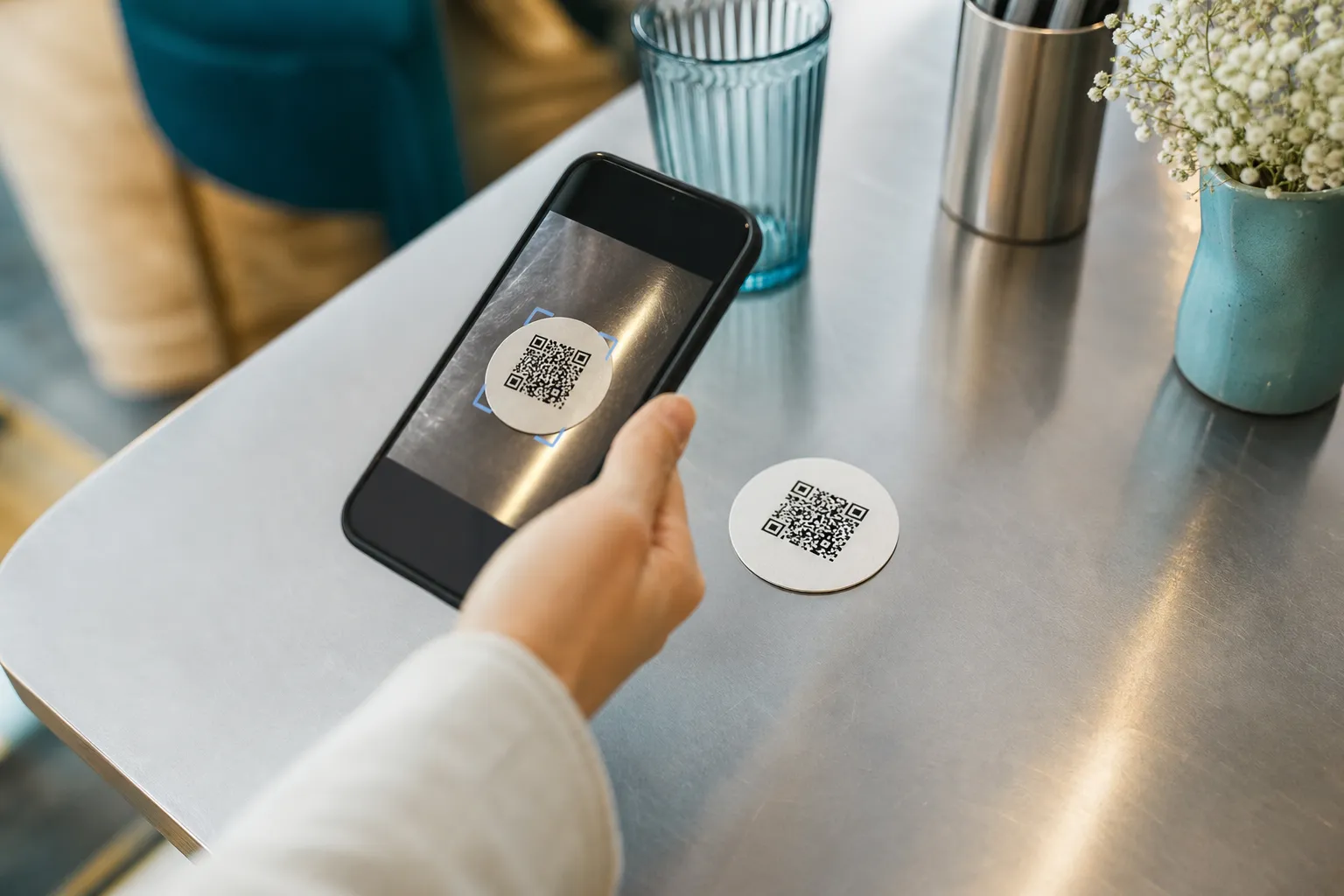
That small black-and-white square on a café table, a cereal box or a "For Sale" sign usually has one job: send you somewhere. Whether that destination can be changed later makes a real difference to your business. When your menu changes, would you rather reprint every table card, or simply edit the page the code points to?
This guide explains what a dynamic QR code is in plain language, compares it honestly with a static one, and ends with a practical checklist to help you choose the right type for each job.
How QR Codes Work, Simply
A QR (Quick Response) code is a two-dimensional barcode that stores data in a grid of dark and light squares. Your phone camera reads the pattern, decodes the data and decides what to do with it: open a web page, join a Wi-Fi network, save a contact or show a piece of text.
The three large squares in the corners let the camera orient the code from almost any angle. The code also carries error correction data, so it can still be read when part of it is scratched, smudged or covered by a small logo.
The key point: a QR code is only a container. The real questions are what data it holds and whether that data can change later. That is where static and dynamic codes part ways.
What Is a Static QR Code?
In a static QR code, the final information is written directly into the pattern: a full URL, a Wi-Fi password, a phone number. Once generated, the content is fixed. To change it, you create a new code and print it again.
- Pro: No dependency on any service. It works for as long as the destination itself exists.
- Pro: Easy to create with free tools and no account.
- Con: Cannot be edited. A typo or a moved web page means a reprint.
- Con: Long data makes the pattern dense, which looks busier and can be harder to scan at small sizes.
- Con: No built-in way to know how many people scanned it.
Static vs Dynamic QR Code: What Actually Changes
A dynamic QR code does not store your final destination. It stores a short redirect URL owned by a QR service. When someone scans it, they hit that short URL first, and the service forwards them to whatever destination you have set. To change the destination, you update it in a dashboard; the printed code stays the same.
An editable destination
This is the big one. Prices change, a promotion ends, your phone number moves: the same print keeps working. For business cards, packaging and signage, where reprints are slow and costly, that flexibility matters.
Tracking and measurement
Because every scan passes through the redirect server, you can usually see data such as scan counts, timing and clicks on the landing page, depending on the provider. It is a practical way to find out whether a printed piece is actually getting attention.
A shorter URL and a cleaner pattern
Since the code only holds a short link, the pattern is less dense. That generally helps it scan more reliably at small sizes and from a distance.
The honest trade-off: provider dependency
The price of a dynamic code is dependency. Because the redirect runs on the provider's servers, if the service lapses, your publishing period ends or the provider shuts down, every printed code stops working. Before you commit, get clear answers to these questions:
- What happens to the code when the plan or publishing period ends, and how do renewals work?
- How established is the provider, and can you actually reach them?
- Can you export your content and data if you leave?
For information that will never change and must work for many years, such as a serial number on equipment, a static code can still be the smarter choice.
Where Dynamic QR Codes Shine
- Business cards: The code opens a contact page that visitors can save to their phone in one tap. Change jobs or numbers and your printed cards stay current.
- Restaurant and café menus: Update dishes, prices and seasonal specials instantly while the table code stays put.
- Product packaging: Link to instructions, ingredients, recipes or warranty registration. Packaging is printed in large runs, so an editable destination is especially valuable.
- Real estate signs: Send passers-by to listing details, photos or an agent's contact page, then reuse the same sign for the next property.
- Events and invitations: Weddings, launches and workshops can update the venue, schedule or RSVP details after the invitations go out.
- Print ads: On flyers, posters and magazine ads, scan data shows which placement is earning attention.
The landing page matters as much as the code. A fast, mobile-friendly page with one clear purpose is what keeps a curious scanner from bouncing. If you need more than a single page, a properly built website from a web design project gives your QR codes a solid place to land.
Design and Printing Tips
A good QR code scans on the first try. Before you send anything to print, run through this list:
- Size: Don't shrink codes too far on close-range items like business cards. A common rule of thumb is to scale the code up as the scanning distance grows, so posters and signs seen from across a room need noticeably larger codes.
- Contrast: Dark modules on a light background are the safest choice. Brand colours are fine, but inverted (light-on-dark) or low-contrast designs can fail on some phones.
- Quiet zone: Leave a clear margin around the code. Text, borders or images pressed against the pattern make it harder for the camera to isolate.
- Error correction: The QR standard defines four levels (L, M, Q and H). Pick a higher level if you plan to add a logo in the centre or the code will be printed on a surface that may get worn.
- File format: Use vector SVG for print so the code stays crisp at any size. A high-resolution PNG is fine for screens.
- Surface: Glossy, reflective, curved or crumpled surfaces can trip up cameras. Choose a flat, matte area where you can.
- Call to action: Tell people what they will get, for example "Scan to see today's menu". A short line beside the code makes scanning far more likely.
- Testing: Test with different phone brands and ages, in different lighting, from the real viewing distance. A proof print costs much less than a full run.
Security: Watch Out for QR Phishing
Because people scan a QR code without seeing where it leads, scammers have taken notice. QR-based phishing, often called "quishing", can be as simple as a fake sticker placed over a genuine parking payment code.
To protect your customers' trust:
- Make sure the destination page uses HTTPS.
- Use your own domain or a recognisable, trustworthy provider domain; random-looking addresses make people hesitate, and rightly so.
- Check codes in public spaces regularly to confirm nobody has stuck a replacement over them.
- Avoid asking for card details or passwords on pages reached by QR. If payment is needed, hand off to a well-known payment provider.
As a scanner, one simple habit helps a lot: most phones show a preview of the URL before opening it. Glance at the domain before you tap.
Measuring Scans: What to Look At
Dynamic codes bring measurement to print, but raw totals only tell part of the story. Focus on:
- Trends over time: When do scans rise? Do they line up with a campaign, an event or a time of day?
- Comparing placements: Give your flyer and your poster separate codes so you can see which one pulls its weight.
- Engagement after the scan: Clicks on the landing page show whether visitors were genuinely interested.
If the code points to your own website, adding campaign (UTM) parameters to the destination URL lets you segment that traffic in your analytics tool as well.
Static or Dynamic? A Decision Checklist
Your answers to these questions will point you in the right direction:
- Could the content ever change? If yes, go dynamic.
- Do you want to know how many people scan it? If yes, go dynamic.
- Must the code work for many years with no service behind it? If yes, go static.
- Is reprinting expensive (packaging, signs, large print runs)? If yes, dynamic pays off.
- Are the provider's terms, renewal rules and track record clear? If not, sort that out first.
- Is the destination fast, mobile-friendly and on HTTPS? If not, fix the page before printing.
There are plenty of dynamic QR tools out there; look for transparent terms, easy editing and print-ready output. One option is QRLivo, built by Teyobi: each QR code opens a page you can edit any time without reprinting, such as a digital business card with save-contact, a link page, a business page, a restaurant menu, a product page, an event or wedding invitation, or a greeting card. It includes scan and click statistics, print-ready PNG and SVG downloads and optional password protection; designing is free, and you pay once to publish for a period you choose, with no subscription.
Conclusion
A static QR code is still a good tool for simple, permanent, independent information. A dynamic QR code gives you an editable destination, measurement and a cleaner pattern, which makes it far more flexible for menus, business cards, packaging and campaigns, provided you choose a provider you can rely on. Design it carefully, test it in real conditions, point it at a secure page and keep an eye on the data. If you would like help with the wider digital side of your business, get in touch with us.
Frequently Asked Questions
What happens when a dynamic QR code expires?
Because the redirect runs through the provider, a dynamic code whose publishing period has ended, or whose service has been discontinued, usually stops working. Check the terms up front and plan the duration for anything printed to last.
Can I turn a static QR code into a dynamic one later?
No. A static code's content is baked into the pattern and cannot be changed. If you want a dynamic code, you need to generate a new one and reprint.
Will a logo in the middle break my QR code?
With a high enough error correction level, a small logo usually works fine. The larger the logo, the higher the risk, so always test with several phones before printing.
How big should I print a QR code?
Base it on scanning distance rather than a single fixed size: smaller for hand-held items, proportionally larger for signs and posters seen from afar. Testing from the real distance is the most reliable check.
Do dynamic QR codes collect personal data from people who scan them?
It depends on the provider. Most tools report aggregate statistics such as scan counts and times. Read the provider's privacy policy to see what is processed, and consult a legal adviser if you are unsure about your obligations.
Disclosure: QRLivo is a product built by Teyobi.
Related articles
Using QR Codes to Collect Customer Details: Forms, Digital Cards, and Campaign Pages
A practical guide to collecting leads with QR codes through forms, digital business cards, and campaign pages—without making the experience clunky.
How to Convert an Image to SVG for Cricut, Silhouette and Lasers
Turn a PNG or JPG into a clean, cut-ready SVG: choosing images, single-colour vs layered files, settings, fixes for common problems, file formats and copyright.
QR Menus for Restaurants and Cafés: How to Set One Up the Right Way
PDF vs interactive menus vs table ordering, photos, allergens, multi-language, printing table codes and staff workflow, plus a step-by-step setup checklist.